
Offer Ends In
00
:
00
:
00
:
00
Protecting user accounts is one of the fundamental responsibilities for software developers. Two-factor authentication (2FA) is one of the biggest parts of security, as it adds an extra layer of protection beyond passwords, reducing the risk of account compromise, fraud and even spamming.
If you are considering implementing 2FA for a platform as a developer, we are sharing today the key best practices for implementing it, choosing the right channels and more.
Understanding Verification vs. Authentication
Before diving into two factor authentication, it's important to understand the difference between verification and authentication.
Verification is making sure the sure is real. It might take place during account signup, when adding a new phone number or email, or when registering a new device. It ensures the user is not a bot or impersonating someone to prevent fraud.
Authentication, on the other hand, is the ongoing confirmation that the owner of the account is accessing it and not some intruder. This can take place during logging in, confirming transactions, updating account information, or accessing sensitive services. Two-factor authentication means that two authentication methods (factors) are required for the user to complete one of the aforementioned actions.
To implement two factor authentication successfully, there is a wide choice of channels to support. The most common options include:
SMS OTPs: Widely adopted and simple to use, though slightly less secure than other options. The code is sent via phone as an SMS in this method.
Email OTPs: A basic option that is often provided for when other channels are unavailable. An OTP is sent directly to a user’s email inbox.
OTPs via Push Notifications: Offer a high balance of security and convenience by linking authentication to a specific device or app that sends one time passwords.
Face Recognition: In this authentication method the user verifies their face by just pointing it towards the camera and the system recognizes whether it is the face of the owner of the account or not. It is highly secure and convenient in advanced systems.
Authenticator Apps: OTPs can be sent through authenticator apps that change the code every minute (or a short amount of time). The user opens the authenticator app to get the code and enter it quickly before it expires.
Offering multiple channels allows users to select their preference and provides backup options for account recovery, boosting overall security.
Best Practices for 2FA Implementation
Implementing 2FA effectively as a developer requires attention to several key details:
Token length and validity: Use secure OTPs, typically 4–6 digits, and make them expire after a short window (e.g., 10 minutes) to reduce the risk of abuse or malicious activity.
Build a smart retry logic: Prevent users from being spammed with repeated OTPs by implementing smart delays.
Mask sensitive data: During verification, display only part of the phone number or email that the OTP will be sent to, to protect user privacy.
Encourage adoption: Incentivize users to enable 2FA with clear benefits, such as enhanced security and account protection, or by even making it mandatory.
Account recovery: Offer multiple recovery methods from the start, such as email or backup codes, so users aren't locked out of their accounts when they can't use a 2FA method.
For developers looking to add secure authentication quickly, the Authentica API offers a pre-built, fully managed solution for two-factor authentication (2FA) and user verification.
Rather than building verification flows from scratch, you can leverage Authentica's platform to implement passwordless and multi-factor authentication across your applications easily and with an on-demand payment plan. You can get in touch with us if you need to learn more about Authentica.
Two-factor authentication plays an important role in ensuring authentication is more secure. By implementing robust 2FA methods through different secure channels and user-friendly flows, developers can enhance account security while maintaining a seamless user experience.
The adoption of Know Your Customer (KYC) procedures is rapidly increasing across financial institutions in Saudi Arabia. This is due to the reality that it is required for compliance, and additionally for the security it provides for preventing thefts and frauds.
If you are considering KYC for your operations in Saudi Arabia or not sure about its value, we are sharing in this article the key aspects you need to know.
Know Your Customer or KYC refers to the activities performed by businesses to gather information about their customers and know exactly who they are in an organized and standardized way. The primary objective of KYC is to verify the identity of individuals or entities and their basic details, to assess and detect the potential risks associated with their involvement in financial transactions.
The KYC process typically involves collecting and verifying several types of information, including personal details, identification documents and proof of address. This information helps institutions understand their customers better, assess their suitability for certain products or services, and detect any suspicious activities.
In Saudi Arabia, the KYC process is governed by regulatory authorities such as the Saudi Arabian Monetary Authority (SAMA). SAMA is the central bank of the Kingdom of Saudi Arabia and plays a crucial role in establishing and enforcing regulations related to KYC.
Financial institutions operating in Saudi Arabia, including banks, insurance companies, fintech companies, and trading platforms, are required to adhere to the KYC guidelines set by SAMA. These guidelines aim to ensure the transparency and security of financial transactions and mitigate the risks associated with money laundering and terrorist financing.
Digital banks and wallets, and cryptocurrency trading platforms are also fully subject to KYC requirements. These platforms must verify users before allowing them to trade or send or receive money, ensuring compliance with local and international laws.
A robust KYC framework does more than meet regulatory obligations. KYC has become a strategic tool for building safer financial relationships and strengthening customer confidence. Here are the biggest benefits of KYC:
By implementing strict KYC procedures, Saudi Arabia aims to prevent financial crimes such as money laundering, fraud, terrorist financing and all types of corruption. By implementing this practice, institutions can detect and prevent illegal activities early by confirming identity and assessing customer backgrounds, filtering customers and classifying them early on without major risks.
KYC regulations ensure that financial institutions maintain a strict practice that is standardized and not random. This helps protect consumers from identity theft, unauthorized account access and other forms of financial fraud, whatever the financial institution they are dealing with.
Institutions with strong KYC processes face fewer disruptions related to fraud, high risks or regulatory penalties. It also leads to lower compliance costs, cleaner data and more consistent onboarding experiences over time.
Although requirements vary slightly by institution, the core components of KYC in Saudi Arabia are mostly the same.
Financial institutions collect information to identify and verify each customer's identity. This includes personal details such as name, date of birth, nationality and occupation.
Customers are required to provide official identification documents, such as a valid passport or national ID card. These documents are thoroughly reviewed and verified to ensure their authenticity.
Proof of address is obtained to confirm the customer's residential details. Utility bills, bank statements or other official documents may be requested for this purpose.
Financial institutions assess the potential risks associated with the customer's involvement in financial transactions. Factors such as the customer's source of income, business activities and political exposure may be considered during this evaluation.
KYC is not a one-time process; it requires continuous monitoring of customer transactions and activities. Financial institutions employ various monitoring tools and systems to detect and report any suspicious or unusual transactions.
Financial institutions are required to maintain proper records of customer information and KYC documentation. These records should be readily accessible for regulatory inspections and investigations.
Authentica provides digital identity verification solutions including KYC that is built for fast, reliable onboarding. It is fully compliant and pre-developed with a security focus. The ready-to-integrate API can also reduce initial costs as it offers an on-demand model,
KYC plays a vital role in ensuring the integrity of financial transactions and preventing financial crimes. In Saudi Arabia, the KYC process is governed by regulatory authorities, primarily the Saudi Arabian Monetary Authority (SAMA). Beside being beneficial as a regulatory requirement, it is also generally a great addition to institutions as it helps them reduce risks, prevent fraud, build more trust, among other benefits. With a readily developed API like Authentica’s, KYC integration can become easily integrable, solving one of its biggest problems.
Face recognition (Known as Face ID as named by the famous apple feature) is a technology that allows systems or devices to identify and verify people based on their faces to grant them access or approval for a transaction. Rather than relying on passwords or OTPs or any other method that takes longer, it works by observing a face in less than a second, understanding its unique structure, and comparing it with previously stored information.
Over the past few years, this approach has moved from experimental to essential and being part of people's lives, including in offices, mobile devices and apps, retail spaces, and highly secured facilities.
Face ID or face recognition, in terms of development and implementation, is not a single action, but a lifecycle. It begins with collecting and storing facial data, continues through processing and training, and ends with real-time identification or verification. Each stage builds on the previous one, which is why system accuracy depends as much on the entire system and not just one step.
Laying the Groundwork: Preparing Face Data
Every face recognition system starts with data. Before a system can recognize anyone, it must first learn what different faces look like, like a baby getting used to seeing people. This requires building a structured database of faces that contains enough visual variety to reflect real-world face variety.
Images are typically collected under different lighting conditions, facial expressions and viewing angles. These diverse conditions allow the system to recognize people even when their appearance changes slightly, such as when smiling, wearing glasses or standing in uneven lighting.
To maintain consistency, which reflects on the accuracy, images are standardized before being stored. Faces are resized to the same dimensions and converted into grayscale. Removing color simplifies the data and reduces unnecessary complexity, allowing the system to focus on learning facial structures rather than colours and other visual details and distractions.
Teaching the System to Recognize Faces
After preparation comes learning. At this stage, the system analyzes stored face images to understand what makes each face unique. Instead of storing these faces as images, it converts them into mathematical representations that capture key facial patterns, which are standardized during the training stages as it trains on generic human faces.
Traditional approaches reduce facial data into essential features that distinguish one person from another. Even though these methods are not new, they remain effective and are efficient enough for real-time use. The system does not remember faces the way humans do. Instead, it learns relationships between facial features and uses those relationships to recognize similarities later.
Once training and development are completed, the system is ready to be used by users. Cameras in devices capture images, detecting faces within each frame, and prepare them using the same steps applied during training. This ensures that live data matches the format of stored data as closely as possible.
The system then compares the detected face (in the form of mathematical representations) against its database and produces a result. The result determines if access is granted or not, and it is often scored with a confidence level, indicating how closely the face matches stored information. If the result is positive, it can trigger actions such as unlocking a phone, granting access to an app or unlocking a door.
Businesses no longer need to build their own biometric systems from the ground up. Services like Authentica offer zero-coding biometric authentication, with the highest security standards and a pay-as-you-go model that minimizes initial costs.
Building a face recognition system is not about a single algorithm or tool. It is a lifecycle that starts with data preparation, continues through structured learning, and then integration into the system and refinement. While this article is not a technical guide, it gives you a thorough idea of how the entire process works from the outside.
Single Sign-On (SSO) is an authentication method that allows users to access multiple applications and services using a single set of login credentials. Instead of using separate usernames and passwords for each system, users authenticate once through a centralized account, which then grants access across connected platforms, usually with one click or a few ones. This approach shifts authentication away from individual applications into a unified point of access.
SSO is created to simplify authentication while maintaining control over access to accounts and their security. It does not eliminate security controls or authorization within standalone apps and platforms. Instead, it separates identity verification from application access, allowing authentication to be handled once and reused multiple times securely.
Below are some best practices that define secure SSO implementation.
SSO relies on standardized protocols to securely exchange identity information between systems. Protocols such as SAML, OAuth 2.0 and OpenID Connect provide the structure and cryptographic guarantees required to establish trust between identity providers and service providers. Choosing the appropriate protocol is critical, as each serves different environments and application models.
The principle of least privilege ensures that authenticated users can access only the applications and resources required for their role, and not everything. Authentication alone should not imply broad access. Instead, identity attributes such as role, department, or location should be used to define given permissions carefully.
Ongoing visibility is essential to maintaining a secure SSO environment. Permissions should be audited regularly to ensure they align with the exact business needs, and so that permissions aren’t outdated. Authentication audits also provide valuable insight into user behavior, including login frequency, access patterns and anomalies.
Not all authentication events carry the same level of risk. Adaptive authentication introduces contextual checks before granting access, evaluating factors such as device type, location or login behavior. When anomalies are detected, additional verification steps can be required. This allows SSO systems to respond to changing risk conditions without hurting the experience or every user.
Authentication tokens are a critical part of SSO implementation and management, and they must be approached carefully. Tokens should be time-bound, rotated regularly and revoked immediately if suspicious activity is detected.
Modern SSO platforms provide automation mechanisms for managing tokens, reducing reliance on manual intervention without compromising security. This ensures that the authentication state cannot be misused if attacked.
Even with SSO in place, users may attempt to access unapproved SaaS applications outside centralized controls. Shadow IT means the blind spots in identity management and it increases exposure to risk, without management or tracking.
Integrating SSO with SaaS management tools or access management platforms helps identify unauthorized applications and enforce access policies consistently, eliminating shadow IT.
Single Sign-On can be a great security implementation that both streamlines security and enhances user experience. However, sticking to best practices like clear governance, strong protocols, and continuous oversight, is essential for SSO to become more robust and less vulnerable.
A Readily Developed SSO Service from Authentica
For organizations looking to implement SSO without the complexity of building and maintaining their own infrastructure, Authentica offers a readily developed SSO service designed to integrate seamlessly with modern platforms and applications. The service provides centralized authentication across cloud-based, on-premises, and hybrid applications with one API, enabling organizations to unify access management with minimal effort and system disruption and with on-demand fee basis.
Multi-factor authentication is essential for strengthening security in addition to two passwords and PINs that can be stolen or forgotten, or by replacing them entirely. The methods of authentication that can be used in multi-factor authentication vary from biometric ways like face and voice recognition to methods that can rely on instant one-time codes sent to a device like the user’s phone.
In this detailed blog, we are sharing what multi-factor authentication is, including why it should matter to businesses and how to ensure that you take full advantage of it.
Multi-Factor Authentication, is the use of multiple ways to confirm the identity of someone who is requesting access to an application, website, device or facility. Instead of two-factor authentication that limits the authentication factors to two, multi factor authentication means that two or more factors can be used, adding additional layers of security.
The different types of verification that can be used to add layers of security in multi-factor authentication can include different methods that can be classified as the following:
Every one of these has their drawback and benefits, and this makes the concept of using multiple layers of authentication a viable one that can bring multiple benefits to the user's security.
More businesses adopt multi-factor authentication in each new year. This is due to the enhanced security it provides, as well as the proven protection against breaches that makes systems less vulnerable.
Multi-factor authentication also makes teams more productive, with enhanced focus on protecting sensitive data. With this achieved, cost reductions can be also easily realized. If you are considering multi-factor authentication for your business, we are sharing today the key benefits you need to know.
Multi-factor authentication helps you protect sensitive systems by requiring multiple verification methods. The clearest outcome from this is enhanced security. By combining factors like passwords, biometrics and tokens, you create a layered defense that is significantly harder for attackers to bypass.
Stolen credentials account for a significant portion of breaches. Multi-factor authentication addresses this by making single factors unusable and making them obligatory. This means that your responsibility towards securing user passwords is mitigated.
According to reports, 49% of data breaches involve stolen credentials. Multi-factor authentication ensures these compromised passwords are not enough alone for unauthorized access.
Data breaches and unauthorized access cost businesses significant money if they happen. Implementing multi-factor authentication can help reduce these incidents and also the losses in case they happen as less accounts can be compromised.
When organizations operate under regulations, multi-factor authentication helps meet standards as it boosts security, these standards include PCI-DSS, PSD2 and HIPAA. This ensures regulatory compliance and the hassle that comes with it while providing more secure operations for businesses handling sensitive data.
Multi-factor authentication works seamlessly with single sign-on solutions. Single sign-on means that login is unified with one account, like the single google account you use for multiple google services. This enhances security while simplifying logins and reducing password reuse across your systems to boost security.
Multi-factor authentication can include the usage of active data like geolocation, IP address and device type. This helps apply extra verification in high-risk scenarios while maintaining smooth access for users.
Authentica offers an end-to-end multi-authentication API that lets you rest assured about the quality of verification without having to develop it from scratch. The service also offers flexible on-demand pricing, meaning the overall initial cost will be cut down drastically. You can learn more by getting in touch with us and asking any questions.
Multi-factor authentication prevents a high percentage of attacks and can boost security of a platform or device. Not implementing it increases the likelihood of breaches, financial losses, and reputational damage. For organizations that prioritize cybersecurity today, multi-factor authentication adoption should be a critical step in fortifying defenses against evolving threats.
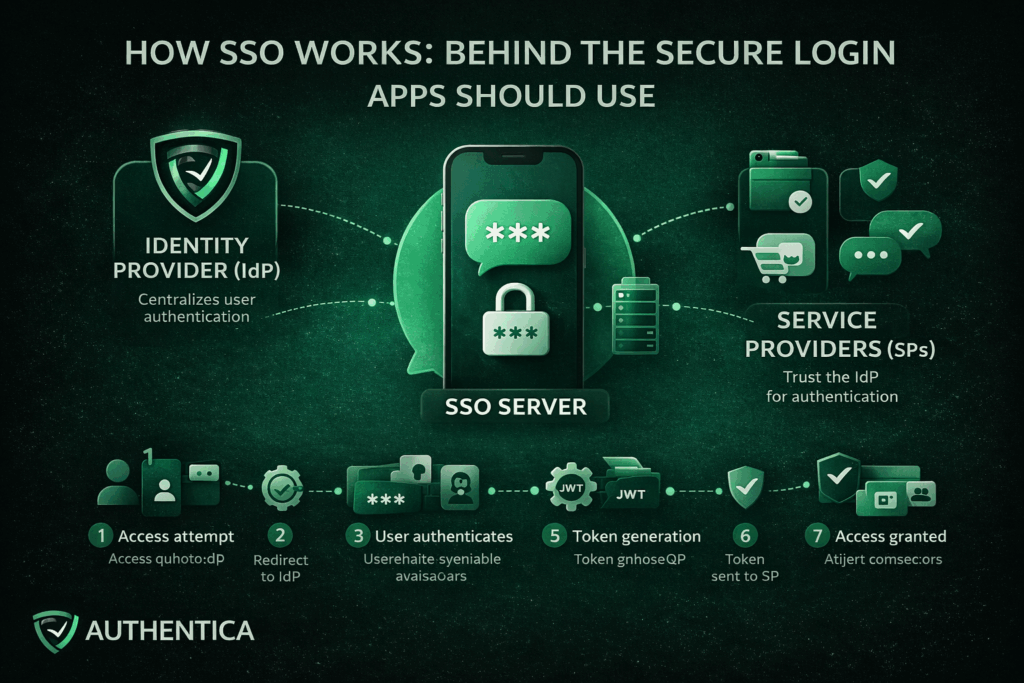
Single Sign-On (SSO) is an authentication method that allows a user to authenticate once and gain access to multiple applications or services with one account and without being required to log in again for each individual system.
Rather than each application independently managing usernames, passwords and authentication logic, SSO centralizes authentication in one account Once identity is verified, access is granted widely to multiple systems or apps, requiring just a single click for login.
Single Sign-On works by establishing a trusted connection between applications or services and a trusted Identity Provider (IdP). Instead of applications directly authenticating users, they delegate authentication to the IdP. When a user successfully proves their identity with a password or OTP or face recognition, the IdP generates a secure token to confirm this authentication for the platform and other connected ones.
This approach separates identity verification and security from the application. This means that they no longer need to store passwords or manage login, focusing on the quality of the delivered service.
Key Components of an SSO System
The SSO environment is composed of these components that together form the entire lifecycle:
Identity Provider (IdP)
The Identity Provider is the developer of the SSO solution, responsible for authenticating users. It verifies credentials, enforces authentication policies, and serves as the trusted party that applications rely on to authenticate users to their apps and platforms.
Service Providers (SPs)
Service Providers are the applications or services that users want to access, like the app or platform you provide. Rather than authenticating users directly, they trust the IdP and accept validated tokens from them as proof of authentication.
SSO Server
The SSO server works on the coordination and management of the authentication requests, token exchanges, and session continuity between the IdP and the service provider.
Authentication Protocols
Protocols such as SAML 2.0, OAuth 2.0, and OpenID Connect define how authentication data is structured, transferred and validated. These protocols ensure interoperability and secure communication across different systems.
User Directory
The user directory acts as a centralization point for storing records and access information. Common examples include Active Directory or LDAP-based directories.
Authentication Tokens
Tokens confirm a user’s authenticated state and are stored with high security and cryptographic encryption. Examples of tokens include SAML assertions and JSON Web Tokens (JWTs). They are time-limited and digitally signed to prevent tampering and malicious attacks.
The SSO process follows a predictable sequence of stages, that we explain here without much technical complications:
The process begins when a user navigates to an application that uses SSO. At this stage, the application checks whether the user already has an active and valid session or not.
If no valid session exists, the application redirects the user to the Identity Provider. This redirect includes an authentication request that defines the application requesting it and the exact context of the authentication.
The Identity Provider prompts the user to authenticate. This may involve entering username and password, using OTP authentication, or using an existing authenticated session if one already exists.
Once authentication succeeds, the IdP generates an authentication token. This token contains identity information and metadata confirming that the authentication has occurred. The token is also digitally signed using a trusted certificate.
The token is sent back to the original application, typically through a secure browser redirect or back-channel communication. This way, the application has received the token without directly handling user credentials.
The application validates the token by checking its signature, issuer, expiration time, and intended user. This ensures the token has not been altered and originates from a trusted source.
If the token is valid, the application establishes a session for the user and grants access. From this point forward, the user is considered authenticated with SSO.
A Readily Developed SSO Service from Authentica
For organizations looking to implement SSO without the complexity of building and maintaining their own infrastructure, Authentica offers a readily developed SSO service designed to integrate seamlessly with modern platforms and applications.
The service provides centralized authentication across cloud-based, on-premises, and hybrid applications with one API, enabling organizations to unify access management with minimal effort and system disruption and with on-demand fee basis.
Single Sign-On is not just a user experience feature, but its true value lies in how it restructures authentication across systems. By understanding how it works, even with not every technical aspect, you have a better understanding of why SSO should be considered by every app or platform.
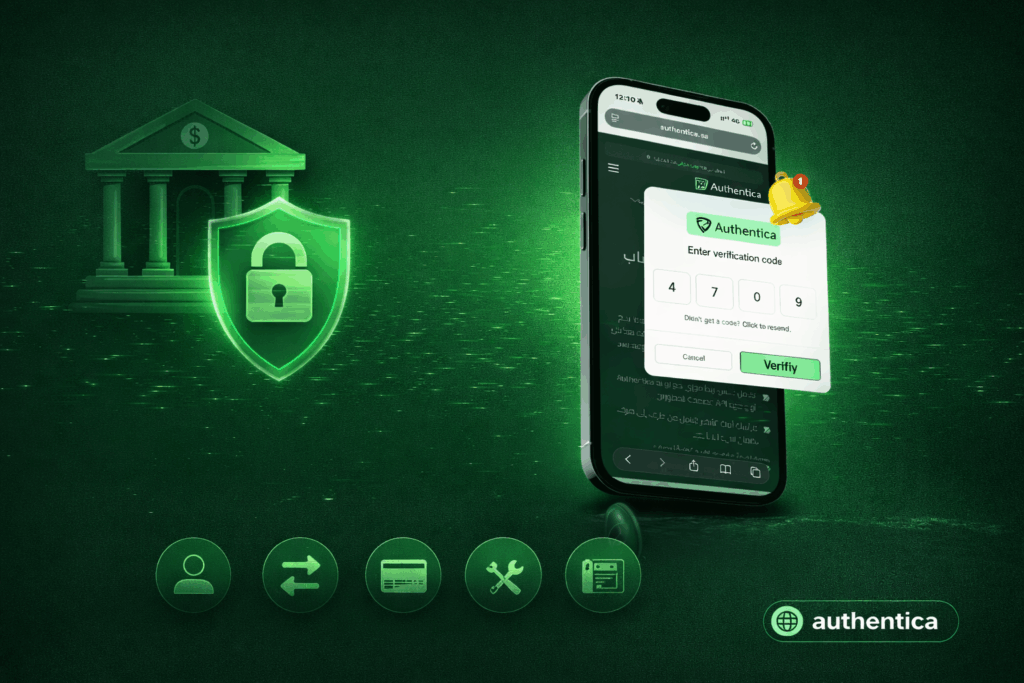
Online banking is fastly moving, and security remains one of the biggest considerations for competing companies in this space. One-time passwords (OTPs) remain one of the simplest, most effective ways to verify identity for banking and fintech applications. Their role has expanded significantly in the most recent years, especially in markets like Saudi Arabia, where digital banking adoption continues to grow rapidly.
If you are considering OTP for your banking operations or not sure about its value, we are sharing today what OTP is, why it matters, where banks use it and how they are delivered.
What Is OTP in Banking?
A one-time password (OTP) is a short verification code, typically 4 or 6 digits, that is generated automatically to authenticate a login or a transaction. Unlike static passwords, an OTP expires after one use or after a few minutes or seconds pass, reducing the risk associated with password reuse, credential leaks or unauthorized access.
An OTP essentially acts as a temporary PIN to improve security. Banks rely on it because:
Whether a user is logging in, transferring money or updating personal information, OTP ensures the request is from the owner of the account and not an intruder.
OTPs offer numerous benefits for banks and financial institutions of all types, helping secure accounts and transactions, and way more than this.
Enhanced Security
The most obvious benefit of OTPs is the improved level of security it adds. Passwords are vulnerable to phishing and breaches, and OTPs introduce a dynamic element to them to make accounts unbreachable even if passwords are stolen. Breaching OTPs will be a whole other layer of security and needs more advanced attacks.
Quick and Real-Time Verification
When supported by a reliable OTP delivery infrastructure, the authentication process adds only a few seconds to the user journey without slowing down operations, so it is very reliable and doesn’t affect customer experience.
User-Friendly Experience
It doesn't need learning to use OTP even for the first time. Users simply receive a code and enter it. This makes OTP a widely accessible way for authentication that adds no barriers for different types of users.
Fraud Reduction
Unauthorized transfers, hacked accounts, and identity theft cases can drop significantly when OTP is integrated as a mandatory step. Even if credentials are compromised, OTP prevents attackers from completing transactions or using the user account in any malicious way.
Banks apply OTPs across a long list of high-value or security-sensitive operations. Some of the most common include:
Login Verification
Most banks now apply two-factor authentication (2FA) or multi-factor authentication (MFA), instead of relying on one authentication method. OTPs are delivered via SMS, email or app push notifications to ensure only authorized users can access accounts and create new accounts.
Fund Transfers
Before confirming money movement, domestic or international, banks often require entering an OTP. This is because it is one of the safest methods to confirm transfers, preventing attackers from sending funds even if they gain access to the user account.
Online Payments
Debit and credit card transactions often make OTP confirmation required. Many banking apps also allow users to whitelist trusted platforms to reduce the number of OTP confirmations.
Account Information Changes
Modifying sensitive data such as a mobile number, password, or email address can require OTP verification to ensure such action is initiated by the real account holder.
Cardless ATM Withdrawals
Some banks now allow withdrawals using OTP instead of a physical card. The customer simply enters the OTP at the ATM machine to complete the process.
Authentica provides a readily developed authentication solution for banks, fintech companies, and finance enterprises with leading security. The API, which relies on an on-demand payment model, is built for fast integration into banking systems and supports high-volume transactions without delays. Contact us to learn more.
OTP remains one of the simplest and most dependable authentication methods that can be used in the finance and banking industry. As online transactions grow and fraud tactics also evolve, banks in Saudi Arabia and other countries continue to rely on OTP to secure logins, confirm transfers, and protect personal data.
Passwords have always been the pillar of online security for decades, but as the world and technology advance, their flaws become harder to ignore. With the number of online accounts and apps used by every single user growing, users are burdened with remembering countless passwords, while organizations struggle to manage security of millions of users that put their entire future on the verge. Passwordless authentication gives one of the best solutions to this.
In this blog, we explore what passwordless authentication is, how it works, its key benefits, and when it makes sense to adopt it in your organization.
Passwordless authentication is a security method that allows users to access systems and applications without entering a password. Instead of knowledge-based credentials such as PINs or passwords, it uses authentication factors that include things that a user has (like the phone) or something that is unique in them (like their fingerprint).
This covers biometrics like fingerprints or facial recognition or something they possess like a trusted device such as a smartphone or hardware key. These methods eliminate one of the weakest links in security, which is the password that can be forgotten or stolen itself.
Using passwordless authentication doesn’t always mean discarding traditional methods overnight. Many organizations use it alongside other verification steps as part of utilizing multi-factor authentication (MFA), which means using multiple factors for authentication at once.
Types of passwordless authentication can be divided into two main types:
While traditional authentication, which has been used for years, relies heavily on knowledge factors like passwords and PINs, passwordless authentication leverages possession and inherence factors to verify identity instead. This transformation removes the need for static credentials that can be stolen or reused.
The happens typically has three simple steps:
Registration: The user’s device or biometric data is securely registered with the system as they sign up.
Attempted Authentication: When logging in, the user confirms their identity through a fingerprint, facial scan or hardware key.
Verification: The system verifies the identity by matching the presented factor with the stored digital credential, granting access if it matches.
Unlike passwords, these credentials are never transmitted or stored in plain text, making them significantly harder for attackers to exploit.
Benefits of Passwordless Authentication
The move toward passwordless authentication is not only a security upgrade, as its usability and cost-efficiency are also outstanding. Organizations that adopt passwordless authentication methods can utilize benefits like:
Enhanced Security
This is clearly the main benefit and motive behind going to passwordless authentication. By removing passwords entirely, organizations reduce exposure to common cyber attacks like phishing, credential stuffing and old school brute-force attacks. Since there are no passwords to steal, attackers lose one of their most effective tools.
Better User Experience
If users no longer need to memorize or reset complex passwords, and can use a quick biometric scan or one-time code in a few seconds, that is definitely a great upgrade for usability. This enhanced usability can improve user satisfaction from apps and devices.
Reduced Operational Costs
Password management and storage is expensive and time-consuming. Large organizations spend millions each year handling password resets and managing security incidents. Passwordless systems drastically lower these costs by eliminating the need for customer support and reducing the risk of breaches.
Regulatory Compliance
Guidelines like GDPR, PCI-DSS and NIST emphasize strongly on authentication. Passwordless solutions often meet or exceed these requirements, helping organizations maintain compliance as they boost security and user experience.
One of the biggest draws of passwordless authentication methods like the biometric ones is the high initial costs and need of continuous development. Authentica resolves this with a readily developed solution with no need of initial investment as you pay as you go. Contact us to learn more about it.
Passwordless authentication isn’t a temporary trend for better usability or a trending feature added to apps, it’s a fundamental shift in how digital security is handled. It addresses the long-standing vulnerabilities of passwords while offering faster, safer and more user-friendly access. As cyber threats evolve, the elimination of passwords represent progress toward stronger digital protection and a smoother user experience.
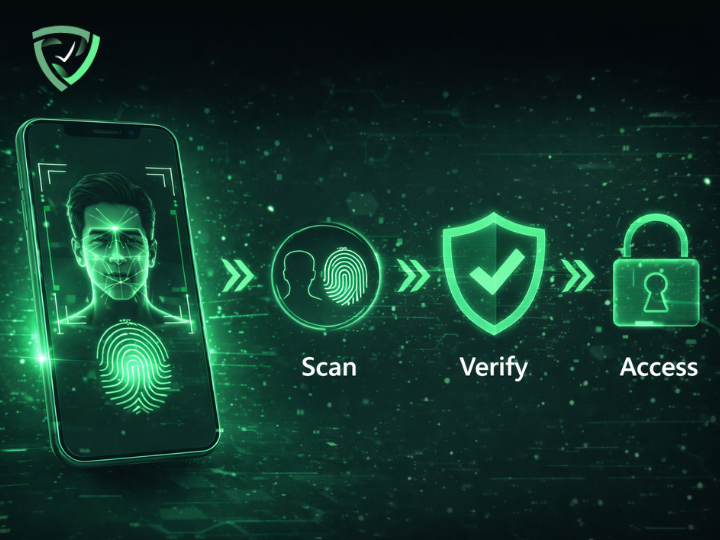
Protecting identities, user and enterprise sensitive information is becoming more complicated than ever, especially with the ongoing AI boom. Traditional password-based verification methods, while more familiar and seem to be an easier option for many users, have been proven to be vulnerable to many attacks and errors.
Biometric authentication offers an alternative to passwords and more vulnerable authentication methods, as users verify identity through unique traits rather than something users have to remember or carry that can be stolen.
In this blog, we will explore what biometric authentication is, how it works, the main types of biometric authentication, and when to use them.
Biometric authentication is a security process that confirms a person’s identity by analyzing their unique biological traits like fingerprints, facial features or voice. These characteristics are captured and stored and compared to the user input each time they authenticate.
Unlike passwords or tokens that can be stolen or forgotten, biometric identification is unique to each person and nearly impossible to replicate accurately. This makes biometric authentication both highly secure and convenient and this is why it is now widely used in verifying online transactions, unlocking smartphones and even granting physical access to highly secured facilities.
Biometric authentication comes in many forms, each with its unique advantages and suitable applications. Understanding these types helps organizations choose the right mix of authentication methods to use, depending on their industry and user needs and preferences.
Fingerprint authentication analyzes the unique fingerprint patterns on a fingertip using optical, capacitive, or ultrasonic sensors. It is one of the most common and cost-effective biometric authentication methods, widely used in smartphones to authenticate apps and unlock the phone itself, in addition to access control and attendance management systems.
With facial recognition, the user face is mapped and key facial features are analyzed, such as the distance between eyes or the contour of the jawline, to create a mathematical representation of a face that is stored and later compared while logging in.
It offers quick, contactless verification and is commonly used for smartphone security, airport check-ins, and corporate access systems.
These methods analyze the unique patterns in a person’s eyes, more specifically the iris or the retina. Both are highly accurate and ideal for environments that demand top-level security, such as border control and government systems.
Voice authentication identifies a user by analyzing vocal characteristics such as pitch, tone and cadence. It’s particularly effective and widely used for phone banking, virtual assistants, and call center verification.
This category includes gait recognition (how a person walks), typing rhythm, and even mouse movement patterns in some advanced applications. It enables continuous authentication, monitoring users passively while they interact with systems to detect anomalies or unauthorized access.
Vein recognition is another biometric authentication method that uses infrared light to map the unique pattern of veins in a person’s hand or fingers. Similarly, hand geometry measures finger length and palm structure. Both methods are mostly suited to secure facility access and can be used in other healthcare applications.
Biometric authentication is increasingly adopted across industries because it provides a strong balance of security, efficiency and user convenience, which are the main factors that define which authentication methods are used to secure devices, facilities or user accounts. These are the biggest benefits of using biometric authentication instead of other traditional authentication methods:
Biometric traits are unique and difficult to counterfeit, making them highly resistant to attacks such as phishing or credential theft. The reliance on biological features rather than knowledge-based credentials significantly reduces the risk of unauthorized access, which is one of the biggest and most clear benefits.
With biometric authentication, users no longer need to remember or reset complex passwords every time they open one of their accounts. A fingerprint scan or facial recognition takes seconds, enabling fast authentication with unmatched convenience compared to any other type of authentication.
While initial setup costs for biometric authentication methods, especially advanced ones like face recognition, can be higher than traditional systems, biometric authentication reduces ongoing expenses tied to password management, recovery and the amount of support provided. Over time, this translates into substantial savings for organizations.
For industries governed by strict regulations, such as finance or healthcare, biometric authentication helps meet compliance standards like Know Your Customer (KYC), Anti-Money Laundering (AML), and different data protection laws by ensuring strong, verifiable identity checks that are in many cases obligatory.
Although biometric authentication can be applied broadly, its adoption can be more beneficial for specific industries, where it adds the most value. Here is where biometric authentication shines most:
Sectors such as defense and government benefit from the heightened security biometrics offer, minimizing risks associated with credential-based breaches that can’t be afforded.
Hospitals can use biometric authentication methods like fingerprint and iris recognition to ensure accurate patient identification and protect confidential health records.
Banks and fintech platforms adopt biometric authentication for seamless, secure verification in mobile banking, transaction confirmation and call centers.
Airports and immigration systems use facial recognition and iris scanning to speed up passenger processing while maintaining security integrity.
Mobile apps now use biometric authentication widely for unlocking apps, authorizing purchases and orders and protecting personal accounts.
Implementing biometric authentication from scratch can be complex, requiring deep expertise in security, user experience and system integration. Authentica simplifies all of this with a readily developed biometric authentication API, bringing facial recognition, fingerprint matching and voice verification. Developers can easily access this API on platforms like **[RapidAPI]**, and an **[n8n node]** is available for integration into automation workflows, without building them internally and wasting money and resources. You can get in touch with our team to learn more.
Biometric authentication represents a major step forward in the evolution of digital authentication for devices and accounts. It combines security, convenience and speed in a way that traditional methods cannot match. From securing financial transactions to enhancing healthcare systems and mobile experiences, biometrics are redefining online security, especially with the ability to integrate it widely with tools like Authentica.
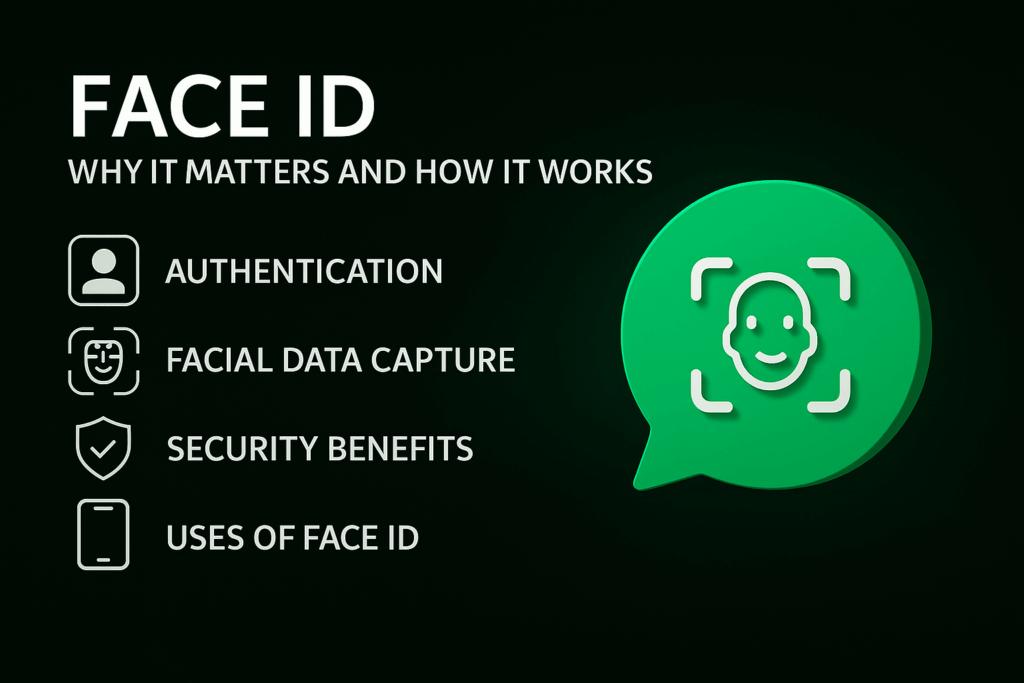
The adoption of Face ID technology is rapidly increasing across businesses in Saudi Arabia. This is due to the enhanced security and accuracy it provides for securing accounts, transactions and devices, as well as its proven prevention of identity theft, making digital services more trustworthy.
Face ID also ensures seamless user experience, with enhanced ability of compliance and risk management, which allow companies to achieve operational efficiency, mitigate risks and cut down costs. If you are considering Face ID for your platform in Saudi Arabia or not sure about its value, we will dive into everything related to it in this blog.
Face ID refers to advanced facial recognition technology that verifies a person's identity using unique biological facial features. The primary objective of Face ID is to confirm that the user is truly who they claim to be, making fraud attempts extremely difficult compared to traditional security methods.
The Face ID process typically involves capturing a live image or short video, analyzing facial landmarks, and creating a secure mathematical template that is compared with the user input every time they log in. This information helps businesses prevent impersonation and in some cases detect suspicious activities instantly.
In Saudi Arabia, facial recognition for identity verification is increasingly becoming required and governed by regulatory authorities such as the Saudi Arabian Monetary Authority (SAMA) and the Capital Market Authority (CMA). This is specifically important for remote onboarding and KYC compliance applications.
Financial institutions, fintech companies, trading platforms, and digital service providers operating in the Kingdom are required to adopt strong identity verification methods like facial recognition or face ID. Face ID has emerged as one of the most reliable solutions to meet both local regulatory requirements in Saudi Arabia and international anti-money laundering (AML) standards.
Prevention of Fraud and Account Theft
By implementing advanced Face ID with liveness detection, businesses can stop fraudsters from using photos, videos, deepfakes or masks to bypass verification in apps and devices. This helps prevent financial crimes such as identity fraud, account theft, and unauthorized transactions in fintech apps.
Enhancing Compliance
Robust facial recognition helps institutions comply with SAMA's KYC regulations and international AML guidelines. This contributes to protecting the financial transactions from being exploited for malicious purposes while meeting regulatory requirements that allow you to scale into new markets.
Protecting Users and Building Trust
Because face ID prevents account takeover, unauthorized transactions and identity theft. This gives customers confidence that their accounts and funds are genuinely secure, which can translate into trust and a stronger brand.
Maintaining Reputation
Companies that adopt high quality Face ID solutions in terms of security and speed demonstrate commitment to security and innovation. This contributes to strengthening their brand in increasingly competitive digital markets.
Live Capture and Liveness Detection
The system uses the device camera to capture a real-time image or video. It immediately checks for signs of life such as skin texture, light reflection, and micro-movements to ensure the person is physically present.
Biometric Analysis and Template Creation
Facial characteristics are measured and converted into an encrypted mathematical model. This template cannot be reversed into a real photo, ensuring privacy and security.
Secure Matching
The new captured image is compared to the stored one in less than a second with extremely high accuracy. This ensures fast verification without compromising security standards.
Anti-Spoofing Protection
Advanced systems block printed photos, screen replays, silicone masks, 3D masks and even deepfake videos. This provides powerful protection even against advanced fraud attempts.
Combating Identity Fraud in Real Time
Face ID with active and passive liveness detection stops fake account creation and unauthorized access before damage occurs. This allows platforms to identify and prevent fraud instantly.
Full Compliance with SAMA and CMA Regulations
For many businesses like banks and other finance businesses, remote customer onboarding using certified facial recognition is now an accepted method for meeting eKYC requirements. This helps businesses adhere to local and international regulations effectively.
Protecting Users and Their Funds
Verified identities mean criminals cannot easily withdraw money, trade illegally or exploit stolen credentials for malicious purposes. Face ID provides an additional layer of security that protects user accounts and funds with confirmation in every transaction.
Building Long-Term Trust
When users know their platform uses cutting-edge Face ID, they feel safer and more likely to engage. This contributes to enhancing customer loyalty and increasing platform sign up and usage.
To complete the Face ID implementation successfully, businesses can utilize readily developed face ID APIs that cut down effort and cost, while delivering a high level of security like Authentica. When choosing the right tool, you need to consider these factors:
All of these qualities are provided by Auithentica. If you need to learn more, you can get in touch with our experts for a free consultation.
Face ID or face recognition plays a vital role in ensuring the security of digital transactions, accounts and devices. In Saudi Arabia, Face ID technology is governed by regulatory authorities, primarily the Saudi Arabian Monetary Authority (SAMA) and the Capital Market Authority (CMA), which means it can be obligatory in many cases.



