
Offer Ends In
00
:
00
:
00
:
00
Voice authentication has become a strong option for businesses that want to verify users in a faster, easier and more secure way. As digital services become more critical and varied, authentication has become both more important and more complicated than ever. In this article, we dive into the benefits of voice authentication as a convenient and secure modern solution.
What Is Voice Authentication?
Voice authentication is a biometric authentication method that verifies a person’s identity based on their unique voice characteristics and measurable patterns. These patterns can include the voice’s pitch, tone, pronunciation, rhythm and other vocal characteristics that distinguish one person from another.
The process usually starts by creating a voiceprint for the user. This voiceprint is generated from a recorded sample of the user’s voice.
Later, when the user needs to authenticate, the system compares the new voice sample with the stored voiceprint. If the match is strong enough to be accepted according to pre-defined standards and scores, access is granted.
One of the biggest benefits of voice authentication is that it reduces dependency on traditional credentials like passwords and PINs. These methods are easy to forget, steal or reuse across multiple platforms.
Voice authentication uses something that belongs to the user and doesn't need any effort and can not be stolen. It is also harder to replicate, with voice authentication systems used in banks and high sensitivity environments.
A Faster and Better User Experience
Authentication is often treated as a security only feature, but the reality is that it is also a major part of the user experience. Long authentication processes including passwords or even OTPs can frustrate users and slow down their journey.
Voice authentication simplifies this process. Instead of typing codes or having to remember a strong password, users can verify themselves by speaking a short phrase or continuing a natural conversation.
Authentication problems can create high operational costs. Forgotten passwords, failed logins, account lockouts, and repeated identity checks all consume time from support teams and call center agents, meaning you need to constantly expand these teams, with costs rising accordingly.
Voice authentication can reduce this burden by making verification faster and less dependent on manual technical support. When users authenticate through their voice, businesses can reduce password reset requests, shorten call durations and minimize the need of support.
Not every user can easily type passwords, use a fingerprint sensor, read verification codes or interact with relatively complex interfaces. This is why accessibility should always be considered when choosing authentication methods.
Voice authentication provides an easier option for users with disabilities like visual impairments or any ones causing difficulties using traditional input methods. A user can authenticate simply by speaking, which makes access easier for any person and enhances the overall accessibility of your platform.
Voice authentication does not have to replace every other authentication method. In many cases, its biggest value comes when it is added to multi-factor authentication choices.
For example, a bank can combine voice authentication with device verification, behavioral analysis, OTPs or face recognition. This makes the login or verification process more secure without depending on one single method, having a backup and giving users a choice.
Voice authentication has become a valuable and secure authentication method because it is easy to use and offers multiple benefits compared to other authentication methods, especially traditional ones. It does not force users to remember passwords, wait for codes, or go through long verification steps, and they can even authenticate while naturally speaking. So Authentica offer Voice Verification.
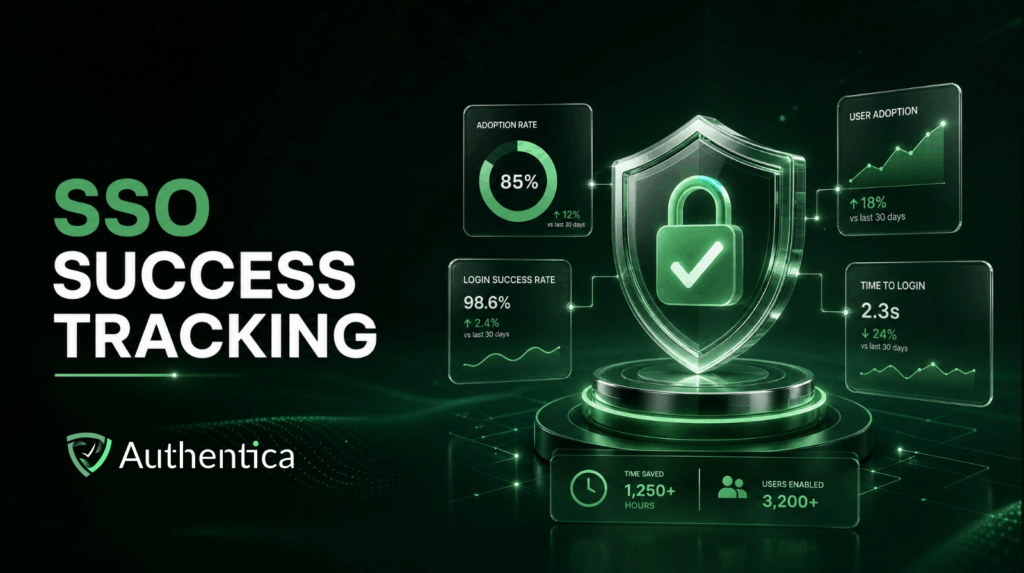
Single Sign-On (SSO) has become a major part of how modern businesses manage access for multiple applications centrally. Instead of asking users to create and remember separate credentials for every system they use, Authentica SSO allows them to authenticate once and access multiple connected platforms with the same identity.
However, implementing SSO is not enough on its own, as implementation matters for actually delivering the expected value. A successful SSO rollout across platforms should improve security, reduce login issues, lower IT workload and create a better experience for users.
That is why tracking the right metrics after implementation is essential. Without clear measurement, businesses may not know whether users are adopting SSO properly, whether authentication has become faster, or whether security and productivity are really improving.
The first and most important metric to track after implementing SSO is the adoption rate. This metric tracks how many users are actually using SSO compared to the total number of users who access your applications, of course if you aren’t forcing it for all users.
A high adoption rate means that users understand the new login process and are comfortable using it. It also indicates that the rollout, communication and onboarding efforts were effective. A low adoption rate, on the other side, can reveal hidden problems.
To calculate adoption rate, divide the number of unique users who logged in through SSO by the total number of unique users who accessed your applications during a specific period. This gives you a clear view of how widely SSO is being used.
Adoption alone won’t tell you the entire adoption story. Usage frequency is another important metric, as it tracks SSO usage frequency and how often users log in through SSO over time. A high frequency means users are consistently depending on SSO for daily access. This is a positive sign that SSO has become part of their normal workflow and that you have made a successful implementation.
A low frequency can indicate that users are only using SSO occasionally, or that some applications are not fully integrated with the system, and still create an efficiency bottleneck. This is why tracking this metric helps organizations identify whether SSO is only technically available or truly embedded in users’ daily usage.
One of the main goals of SSO is to make access faster and smoother. This is why authentication time is beneficial when monitored closely. Authentication time refers to how long it takes a user to complete the login process and access the application. If SSO is implemented properly, this time should become shorter compared to traditional login flows.
Longer than expected authentication times can point to technical issues, whether due to unnecessary redirects, slow identity provider responses, poor configuration or any other reason. These delays may seem minor, but they can affect productivity when repeated across hundreds or thousands of users every day, and can mean you aren’t achieving the full potential of SSO that should be easily achieved.
A successful SSO implementation should make authentication more reliable, not more complicated, and this can be reflected on login success and error rates. That is why login success rates and error rates need to be tracked continuously. The login success rate measures how many authentication attempts are completed successfully. The error rate measures failed logins, incomplete redirects, expired tokens or configuration issues.
A high or rising error rate is a warning sign that something needs to be fixed or hasn’t been executed properly. Monitoring these errors helps IT teams detect problems early before they affect more users. It also helps them understand whether the issue is technical, behavioral or related to a specific application.
One of the clearest benefits of SSO is reducing password-related problems. Before SSO, users often need to remember multiple passwords, which leads to forgotten credentials and frequent reset requests. After implementation, companies can track the number of password reset tickets received by the IT helpdesk. If SSO is working well, these requests should clearly decrease or disappear.
Tracking the success of SSO implementation requires looking at adoption, usage and performance through different metrics. A successful SSO implementation is not only one that works technically. It is one that users actually adopt, IT teams can manage efficiently and teams use daily, with clearly enhanced efficiency.
Passwords have been used for years as the main way to verify users and protect their online and offline accounts. However, with the growing number of digital platforms used for everything, alongside the growing risks of cyber threats, passwords have become one of the weakest parts of any authentication process.
Passwords are vulnerable because users often reuse the same password for different accounts, create weak ones to be easy to remember, or store them in text files to never lose them.
Businesses, on the other side, deal with password reset requests, account lockouts, phishing attempts, and many other password-related risks. This is why passwordless authentication is becoming a more practical and secure alternative to passwords for most user-facing and internal business apps.
Passwordless authentication is an approach to verifying users without asking them to enter a username and password. Instead of relying on something the user knows, it uses something the user has, such as a trusted device (like a phone) or security key, or something unique to them, such as in fingerprint or face recognition.
This shift has become the norm because passwords are increasingly hard to protect. Passwordless authentication solves many of its issues by removing the password from the login process. This makes access faster while giving organizations stronger control over identity verification. However, like any other security feature, success depends on implementation. A poorly planned passwordless system can still create friction and security gaps.
The first step for successful authentication is choosing the method that fits your users and security needs. Biometrics can be useful for mobile apps and employee devices. Security keys can be stronger for administrators and users who access sensitive systems. One-time passwords can be perfect for ease of use and general users,
The right choice should depend on the risk level of each application. A customer account, an internal HR system, and an admin dashboard should not always use the same authentication methods.
If you have a large number of employees or a huge user base, passwordless authentication can be rolled gradually to avoid any big issues that can impact your business. Starting with a smaller group gives your team a chance to test the experience, identify any problems, and improve the process before expanding it across the organization.
Users do not all use apps and platforms in the same way. Some may prefer biometric login, while others may not be comfortable using traditional OTPs. Some users may have smartphones, while others may depend on laptops, shared devices, or hardware tokens during work. Offering more than one passwordless authentication method makes your platform or app more inclusive and reduces the chance that users will create unsafe workarounds, paving the way for making it mandatory.
Removing passwords does not remove the need for a seamless account recovery process, and it may be a good time to upgrade this part of your system. Even with passwords gone, users can lose or change their phones, replace laptops or damage security keys. Each of these cases requires a clear recovery process in place.
Not every login attempt carries the same level of risk. A user logging in from a known device and familiar location may not need the same checks as someone trying to access sensitive data from a new device or suspicious location.
Risk-based authentication allows your system to apply stronger verification only when needed. This keeps the normal login experience smooth while adding extra protection when the risk is higher according to continuously monitored triggers.
Biometric authentication is convenient, but biometric data is highly sensitive. Unlike passwords, fingerprints and facial features cannot be changed if they are compromised. The safest approach for keeping biometric data safe is to keep it stored locally on the user’s device whenever possible. You should also make it clear how biometric data is used, protected and retained, as transparency is essential.
Passwordless authentication is even better when integrated with Authentica SSO, as it helps centralize control and simplify access across applications. SSO also allows users to authenticate once and access multiple approved systems without repeated logins. Standards such as FIDO2, WebAuthn, SAML and OpenID Connect can make SSO integration easier.
Passwordless authentication is not just a replacement for passwords, it is the evolution for access management and authentication. The best outcome comes with careful integration including choosing the right method, managing recovery properly, risk based authentication and other considerations we have included.
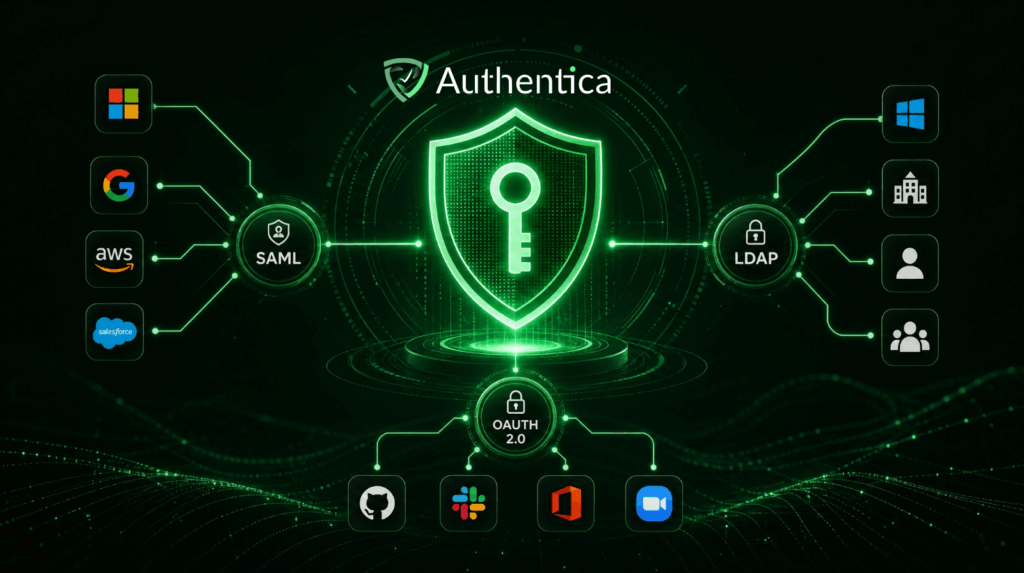
Single Sign-On (SSO) systems provide standardization and enhanced usability for users, and to do so seamlessly, they rely on a set of standardized SSO protocols that enable identity information to move securely between systems.
While the user experience of SSO appears simple, logging in once to access multiple applications with one click, the underlying process depends on structured communication between identity providers and the applications that trust them, which is often strictly handled to ensure the highest possible security.
These protocols define how authentication is performed, how identity is verified, and how permissions are granted across different services. For organizations evaluating SSO solutions, understanding these protocols is beneficial.
Security Assertion Markup Language (SAML)
Security Assertion Markup Language, commonly referred to as SAML, remains one of the most widely adopted protocols for SSO deployments. It was specifically designed to allow identity providers to securely communicate authentication information to service providers.
In this model, the identity provider verifies the user’s credentials and sends a signed authentication assertion confirming that the user has successfully authenticated.
The service provider then accepts this assertion and grants access to the application without requiring the user to log in again. This process enables users to authenticate once with a central identity provider and seamlessly access multiple enterprise systems without repeated login prompts.
One of the reasons SAML became so dominant in enterprise environments is its strong security model and its ability to integrate with centralized directory systems.
OAuth 2.0 is often associated with SSO environments, but its primary purpose is authorization rather than authentication. This influences the way this protocol works. Instead of verifying a user’s identity directly, OAuth allows applications to obtain permission to access specific resources on behalf of a user without exposing the user’s credentials.
When a user is granted a permission, the authorization server issues a token that allows an application to perform specific actions. These tokens are designed to be temporary and restricted in scope, which helps reduce the risks associated with credential sharing.
OAuth is widely used across web apps, with many platforms allowing users to connect their accounts to third-party services using OAuth-based authorization. This approach allows applications to access certain information without requiring the user to provide their password directly to the requesting service.
Lightweight Directory Access Protocol, or LDAP, is one of the older protocols used within SSO systems. Although it is older than many modern SSO standards, it continues to play an important role in enterprise identity infrastructures to date.
LDAP is primarily used for accessing and managing directory services, which store structured information about users, including credentials, group memberships, organizational roles and access privileges.
While newer authentication protocols such as SAML and OpenID Connect are typically used for application-level authentication, LDAP often serves as the underlying protocol for storing identity. Identity providers may authenticate users against an LDAP directory before issuing authentication assertions or tokens to external applications.
SSO systems depend on one or more layered protocols working together to manage authentication, authorization, and identity verification. Each protocol plays a distinct role within the broader identity ecosystem, and understanding these roles is beneficial for organizations designing or expanding their authentication environments.
Single Sign-On is one of the most powerful security features that can be integrated into platforms, especially for organizations that manage multiple applications, teams, and external services. As businesses grow and their software ecosystems expand, authentication needs to evolve from simple login mechanisms into centralized identity management solutions that can support both security while not affecting user experience and efficiency.
Choosing the right SSO provider is important, not just to security but also because each provider will offer a different user experience, compliance, easiness of scaling and other aspects that you should be putting into consideration.
Selecting an SSO provider requires evaluating several technical and operational factors. These considerations determine whether it suits your business and can integrate effectively with existing systems or not.
Security is the most critical factor when selecting an SSO provider, as you never need to compromise security as you centralize authentication. Centralization itself makes the secuirty of this implementation more critical, as any vulnerability within the identity system can potentially expose all connected services.
A reliable provider should implement strong encryption standards to protect authentication data both while it moves and at rest. Encryption protocols such as AES-256 and modern TLS standards help ensure that identity information remains protected during authentication exchanges.
Multi-factor authentication support is another essential security feature to look for. MFA introduces additional verification layers beyond passwords, reducing the risk of unauthorized access even if user credentials are compromised.
You should also evaluate whether the provider complies with relevant regulatory frameworks such as GDPR, HIPAA, ISO 27001, or SOC 2. These certifications demonstrate that the provider follows established security practices and maintains appropriate controls for handling sensitive data.
One of the factors to consider for choosing an SSO provider is how easily they will integrate their service with the applications and systems already used within your organization. In environments where companies rely on dozens or even hundreds of digital tools, compatibility is one of the key requirements.
Support for widely adopted protocols such as SAML, OAuth 2.0, and OpenID Connect ensures that the SSO system can communicate effectively with both cloud-based applications and internal services.
Although security is essential, the usability of the authentication process is also important for an SSO implementation. If users find the login process confusing or inconvenient, adoption rates may decline and employees may revert to insecure workarounds, or even get their efficiency reduced due to this badly designed workflow.
An effective SSO provider should deliver a streamlined authentication experience that allows users to access applications with SSO quickly and intuitively, usually with one click.
As your company expands and grows, the authentication infrastructure must support increasing numbers of users and applications. You should choose an SSO provider that offers a scalable architecture capable of handling large volumes of authentication requests without causing delays. Performance metrics such as response times, authentication throughput, and uptime guarantees provide insight into how well the system performs under load.
Visibility into authentication activity is essential for maintaining security and meeting compliance requirements. The chosen SSO provider should provide comprehensive reporting that allow administrators to monitor login activity and track login and access patterns. Such detailed logs help security teams identify suspicious activity, investigate incidents, and demonstrate compliance with regulatory requirements.
When evaluating SSO providers, organizations should consider the level of support and maintenance services available. Providers that offer 24/7 technical support can respond quickly to authentication issues that affect business operations.
For organizations looking to implement SSO without the complexity of building and maintaining their own infrastructure, Authentica offers a readily developed SSO service designed to integrate seamlessly with modern platforms and applications.
The service provides centralized authentication across cloud-based, on-premises, and hybrid applications with one API, enabling organizations to unify access management with minimal effort and system disruption and with on-demand fee basis.
Choosing the right SSO provider is a decision that affects both security and daily operational workflows. A well-implemented SSO needs you to choose the right provider that will bring you peace of mind and allows you to take full advantage of SSO.

Voice recognition has gone from an experimental technology to become a widely used technology across different industries. From banking platforms and healthcare systems to customer service portals and mobile applications, voice biometrics allows organizations to authenticate users through their unique voices rather than authentication through traditional passwords.
In this article, we are sharing the best practices for implementing voice recognition, so that you achieve a successful implementation and get the most of this security feature.
Voice recognition is an identity verification method that uses the unique characteristics of a person’s voice to confirm their identity. This method relies on the reality that every individual voice has its distinctive physical and behavioral traits, including tone, pitch, speaking rhythm, pronunciation patterns, and vocal resonance. These elements together form a unique voiceprint that can be used by this authentication method.
During authentication, the system captures a user’s voice input and analyzes multiple acoustic features. These features are then compared against a previously stored voice print of the user. If the similarity score between the live input and the stored voiceprint exceeds a defined threshold, the system confirms the user’s identity and grants access, without any physical interaction.
Before implementing voice recognition authentication, you should determine how the technology will be used and where specifically it would be implemented. Voice recognition can be added to different places including in apps, IVR menus and other instances.
The reliability of a voice authentication system depends heavily on the quality and diversity of the data used to train it. Machine learning models require large and varied datasets to accurately recognize voice patterns across different speaking styles and environmental conditions, and this should be your biggest investment.
Data used in training should reflect real-world variations in speech, including accents, dialects, speaking speeds, and background noise. Without sufficient diversity in training datasets, voice recognition systems may struggle to authenticate legitimate users or authenticating scammers.
Although voice recognition has become a convenient and reliable authentication method, relying on voice recognition may not be a best security practice. Voice authentication is most effective when used as one factor within multi-factor authentication.
Combining voice verification with additional factors such as one-time passwords, device recognition, or facial recognition creates an additional security layer and better usability for more users. In this case, even if one factor is compromised, the additional verification steps help prevent unauthorized access.
One of the biggest challenges in voice authentication is the risk of spoofing attacks. Attackers may attempt to scam authentication systems using recorded audio or synthetic voices generated by deepfake AI.
Liveness detection is the solution to this challenge, as this technique helps in addressing this risk by determining whether the voice input originates from a live human speaker or not. These safeguards allow voice authentication systems to distinguish genuine users from recordings or artificially generated voice samples, strengthening the reliability of the authentication process.
Authentica Voice recognition authentication offers a reliable verification method for most apps and systems, even the most sensitive ones. By identifying the unique characteristics of human speech, companies can offer authentication experiences that are both convenient and secure, with no physical interaction involved and in minimal time.
However, voice biometrics must be implemented carefully to achieve consistent performance. Factors such as training data quality, and spoofing resistance all influence how effectively voice recognition systems operate and remain as a powerful security measure.
Passwords remain one of the most widely used authentication methods despite the evolution of technology and the utilisation of many other authentication techniques.
And as the number of systems used by users and employees daily continues to grow, the burden of managing credentials grows with it. Users are expected to create strong passwords, avoid reusing them, update them regularly, and remember them across dozens of accounts. This has made passwords even more vulnerable and more advanced authentication methods more critical.
Password fatigue refers to the mental strain and frustration experienced by users while managing a large number of passwords for multiple systems and accounts. This happens because a typical user nowadays has access to tens of separate platforms, each with their separate password. Over time, such a burden turns the login process into a repetitive and exhausting task, leading users to seek ways of making their life easier, weakening overall security.
Although password fatigue is a widespread issue, organizations can take several steps to reduce its impact and make your systems more stable.
The most powerful and convenient solution for password fatigue is SSO. Single Sign-On allows users to authenticate once and gain access to multiple applications without repeatedly entering credentials multiple times. Instead of managing separate passwords for every used platform, users sign in through a centralized identity provider that securely handles authentication for connected services.
By reducing the number of login prompts throughout the day, SSO improves the user experience while still not compromising security. SSO can also be integrated with other authentication methods, meaning it doesn’t replace OTP or face recognition but makes them stronger and more usable.
Password managers help users store and generate complex passwords without needing to remember each one individually. These tools typically encrypt credentials securely and allow users to access them, with advanced features including automatically filling login fields when users access applications or web apps.
However, you should also select the password manager carefully as password managers also introduce their own security considerations. With password managers, all credentials are stored in a single location making it a highly sensitive app and its password becoming the master password for each user.
Exhausting password recovery procedures increase password-related fatigue and makes users more likely to use unsafe practices. Simplifying the recovery process can reduce the frustration associated with lost credentials and allow more users to follow your guidelines for safe password storage and use.
The most effective long-term solution to password fatigue is reducing reliance on passwords altogether. Passwordless authentication methods replace traditional passwords with more secure alternatives such as face or fingerprint recognition, hardware security keys or device-based cryptographic authentication.
Such approaches eliminate the need for users to remember complex credentials while also reducing the risk of phishing attacks and credential theft. Technologies such as biometric verification, passkeys, and hardware authentication devices give users more reliability and an enhanced experience.
Password fatigue is a widely faced issue with the increasing number of apps users have to use daily. When this burden becomes overwhelming, users adopt shortcuts that compromise security, like reusing passwords, writing them down or choosing willingly to use weak passwords that are easy to remember. SSO, password apps and passwordless authentication methods like biometric authentication can all be among the reliable solutions.
Single Sign-On (SSO) has become an essential user authentication for many companies, especially ones with multiple applications that users need to deal with, in addition to consumer facing apps that want to make login easier and provide users with an easy yet secure logging in and signing up experience. In this blog, we are sharing the key best practices you need to know to implement SSO effectively and securely.
Single Sign-On (SSO) is an authentication method that allows users to access multiple applications and systems using a single set of credentials. Instead of managing separate usernames and passwords for every tool, users authenticate once through a central identity provider and gain access to all connected services without multiple logins.
The way SSO works is by establishing trust between an identity provider and multiple service providers, which are the apps that utilize this authentication method. When a user logs in, the identity provider verifies their credentials and issues a secure authentication token. This token is then used by other applications to validate the user’s identity without requiring them to log in again.
Selecting the right authentication protocols is essential for a successful SSO implementation. The three most widely used protocols are SAML 2.0, OAuth 2.0, and OpenID Connect (OIDC), and each serves a different purpose.
SAML 2.0 is best suited for enterprise-level applications with strict compliance requirements. OIDC is a lightweight and modern standard that works well for web and mobile applications. OAuth 2.0 is often used alongside OIDC specifically for authorization.
Once a user authenticates through SSO, managing their active sessions effectively is critical for both security and user experience. Without this measure, a single compromised session can expose all connected applications at once.
To manage sessions properly, you essentially need to cap session durations, limit the number of concurrent sessions per user, and revoke any sessions that show abnormal behavior. For example, configuring sessions to expire after eight hours of inactivity drastically reduces the risk of unauthorized access from abandoned or forgotten logins.
This also means watching for unusual login patterns, such as multiple failed authentication attempts or logins from new geographic locations. These indicators of potential attacks mean that you will terminate suspicious sessions and prompt re-authentication with multi-factor authentication being required.
Adding multi-factor authentication (MFA) to your SSO setup is one of the most effective ways to strengthen the security of your platform. MFA means that even if a user's credentials are compromised, an attacker cannot gain access without passing the second verification step, which is often hard to pass. MFA methods to consider include face recognition, OTPs or push notifications.
Adding social logins is a great way to enhance the usability of your SSO implementation. With social login, users can authenticate with existing accounts from services like Google or Microsoft accounts, which makes it possible to use SSO even without creating any new credentials.
For organizations looking to implement SSO without the complexity of building and maintaining their own infrastructure, Authentica offers a readily developed SSO service designed to integrate seamlessly with modern platforms and applications.
The service provides centralized authentication across cloud-based, on-premises, and hybrid applications with one API, enabling organizations to unify access management with minimal effort and system disruption and with on-demand fee basis.
Implementing SSO is one of the best investments in both security and platform usability, however, the effectiveness of SSO depends heavily on how well it is implemented. Choosing the right authentication protocols, enforcing multi-factor authentication, managing sessions securely, and using social login can all be great considerations for making the SSO implementation work greatly and serve its purpose without compromises.
Single Sign-On (SSO) is mainly a security solution, centralizing authentication and reducing the attack surface. However, the benefits of SSO go beyond security, as it has a big impact on productivity and user experience.
It simplifies access, reduces operational overhead, and enables organisations to use different tools faster without compromising control. This article explores five key ways SSO directly contributes to productivity and a better employee and user experience.
Reduced Password Fatigue and Distraction
Today, the average employee manages a large number of credentials for different platforms. This creates a continuous distraction related to remembering passwords, resetting them, or attempting multiple logins throughout the day. Over time, this friction disrupts focus and slows down task completion.
SSO eliminates this complexity by consolidating access into a single set of credentials. Instead of repeatedly authenticating with different accounts, users log in once and gain seamless access to all authorised applications. The result is not just convenience, but a measurable improvement in productivity and less distraction.
For many companies, password-related issues remain one of the most common drivers of IT helpdesk tickets. Reset requests, account lockouts, and access issues consume a disproportionate amount of IT resources, especially in organisations with large or distributed teams.
By introducing SSO, organisations dramatically reduce these repetitive support tasks for IT administrators, making this department become much more focused and productive.
With fewer passwords to manage, users encounter fewer login issues. Many SSO systems also enable self-service password resets, further decreasing dependency on IT teams.
Access management is often a highly time-consuming aspect for many companies. Without centralisation, onboarding a new employee requires creating accounts on multiple platforms, assigning permissions individually, and ensuring consistency across tools.
SSO changes this entire process to become a single access sharing step, which means employees are fully operational from day one, without delays or exhausting steps.
The same applies to offboarding and role changes. When an employee leaves or changes roles, access can be updated or revoked instantly across all connected applications. This not only improves security but also eliminates administrative delays and reduces the risk of orphaned accounts.
As workplaces become increasingly hybrid and cloud-driven, employees need consistent access to applications regardless of location or device. Without SSO, login systems often require a lot of daily hassle to login into platforms.
SSO creates a unified access layer that connects all platforms that are once authenticated, allow users to move between them often with a single click. This is highly valuable in environments where employees frequently switch between different tools.
While SSO simplifies access for users, it also provides organisations with a powerful layer of centralised control overload user accounts. Administrators can define access policies, monitor activity, and enforce security measures one time without repetition or hassle.
This centralization has direct implications on decision making. Instead of managing access across multiple systems, IT and security teams can make faster, more informed decisions. Permissions can be adjusted instantly, anomalies can be detected more easily, and compliance requirements can be tracked consistently.
For organizations looking to implement SSO without the complexity of building and maintaining their own infrastructure, Authentica offers a readily developed SSO service designed to integrate seamlessly with modern platforms and applications.
The service provides centralized authentication across cloud-based, on-premises, and hybrid applications with one API, enabling organizations to unify access management with minimal effort and system disruption and with on-demand fee basis.
Final Thoughts
SSO is often implemented to enhance security, but its impact extends far beyond that initial objective, as IT enhances employee productivity, changes how IT teams manage access, and many other benefits. By reducing friction at every stage, from login to access management, SSO enables a more efficient and focused workflow.

At Authentica, we are excited today to announce a new partnership with Rawa, aiming at making it easier for startups referring to Authentica by Rawa to start using our services totally free of charge, with 1500 free welcome credits.
Rawa is trusted by startups aiming to find the right tools and eco-system to scale their business, and Authentica is more than interested in allowing the smallest, early starting startups to use its authentication service and scale with it with time, making it a perfect partnership for all parties.
Authentica believes that the opportunity to start small and scale should be a rightful choice for startups when it comes to different digital services that can help them get their product faster to the market and overcome technical hurdles that can be too harsh for them.
The Authentica API can help startups of all sizes eliminate all the effort and cost of developing authentication features for their app, supporting OTP, face recognition, SSO and all the security features they need, with a ready-to-integrate API that requires zero development effort.
That means that these startups looking to cut down initial costs can achieve their cost-cutting goals more effectively, while launching their product faster, and even getting a potentially more secure authentication process compared to what they can develop in house, all with automatic updates that they aren't involved with.
This will also mean for them that their developers are focused on their core features, while Authentica is 100% focused on making its platform more secure, shaping up a perfect partnership aimed at the growth of startups.
The new offer, valid for a limited time, is now offered on Rawa’s launch pad at rawa.sa, for existing and new users of Rawa. Startups can also find many other useful tools that can help them scale and grow on Rawa, all tailored for Saudi startups and not just everyone.
You can claim the offer here, and make sure you keep updated to the latest offers and partnerships by following our blog or following our Linkedin page.



